Sirens are ringing. The news is flowing. Your phone is vibrating.
The first reaction is always the same: What’s up with them?
You make a call. You call. You wait. This cycle of action is one of the processes that absorbs the greatest energy in an immediate crisis. Facebook developed the Facebook My Trust Button to fill this gap. Officially known as Safety Check.
This feature is not just a button. A communication channel. And now it’s time to stop and think to understand how it works, why it can be lifesaving, and where it comes into play.
Communication Ring in Emergency Situations
Natural disasters. Terrorist attacks. Major accident situations.
In such scenarios, communication lines are often overloaded. SMS messages are dropped. Calls are cut off. Social media rarely shuts down completely. Facebook fits into this gap.
The I’m Safe notification is the fastest way to let your friends, family, and other connections in the Facebook community know that you’re safe. Data usage is low. Access is easy. But its impact is profound.
For many users, this is the digital equivalent of saying “I’m still here.” Like banners. But faster. More comprehensive.
How Does the Feature Work?
Location is a determining factor.
A Safety Check usually focuses on a specific geographic area. When a disaster is reported, Facebook automatically sends a notification to users in that area.
The notification asks: Are you safe?
If you say yes. Your status is marked as safe. This status appears in your friends’ news feed or private messages (Messenger).
If you say no. You will receive a warning. Emergency units are informed.
But wait. This process is not just automatic. It can also be activated manually.
Manual Usage: In Which Disaster Situations Is It Activated?
It does not open in every disaster. Facebook enables this feature upon the requests of authorized institutions (AFAD, Red Crescent, local governments, etc.).
However, users can also use this feature manually in a crisis.
How?
- Open the Facebook mobile app.
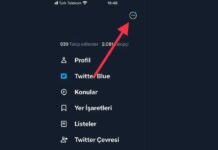
- Tap the menu (three lines) or search bar at the top.
- Find the “Safety Check” or “I’m Safe” button.
- Confirm your location.
- Click the “I’m safe” button.
Conclusion?
A notification to your friends and family
Why you shouldn’t rely solely on Facebook’s security checks
The “I’m safe” button isn’t magic. This is a rating tool. Like all triage tools, it will fail if the system is overloaded or damaged.
When disaster strikes, Facebook deploys three features. Looks simple on paper. The reality is more disturbing.
1.Report a disaster
This starts with the platform. Not you. Administrators mark areas as “areas of influence”. This triggers the security check module.
If you are in this area, you are prompted. banner Pop-up window. You will be asked if it is safe.
Click “It’s safe”.
You are now tagged. The badge will appear on your profile. Your friends will be notified. They know you’re not dead. They know you’re not trapped. Or at least you think so.
2. Shared space
This is the hard part. Some users receive push notifications directly. Others don’t. This depends on the algorithm, network load and timing.
If a prompt * appears, click it. Your status will be visible in your feed. In most cases, it defaults to public. You convey a message of safety to everyone who cares about you.
Why? Because panic is contagious. The crowd calms down when your friends list turns green. Reduce the “Are you okay?” Text messages clog emergency phone lines.
But what if you miss a hint?
This way you are invisible to the algorithm. You are still alive. It is still safe. But the web doesn’t know that.
3. Riding the waves
Facebook offers a control panel. This is a page dedicated to disaster areas. You can search for cities. See the total number of people who have marked themselves as safe.
This is a barometer. It’s not a lifeline.
You can find friends there. Find their name. Check if the status is updated. This is passive. you have to look for it. You can’t just wait for the alerts to arrive.
“Security checks are a communication layer, not a rescue service.”
Real Issue: Access and Awareness
This function assumes two things.
First, you have access to the Internet. In many disasters, cell phone access points fail. The electricity network has been interrupted. If your phone was a brick, you wouldn’t be able to click the buttons.
Then you will see that the button is there. If you’re in the middle of a flood, you’re probably not thinking about starting Facebook. You are thinking of going to a higher level.
What if I’m not in the “area of influence” defined by Facebook’s internal map? I can’t see anything. you are in the dark.
This is useful. only
But this alone is not enough.
The most common “I’m Safe” (Safe Check-in) button on social media is not actually a joke. A tool that shows how quickly and clearly you can provide information to your relatives and friends in a crisis, especially during natural disasters. This feature of Facebook allows users to instantly mark their status. However, using it without knowing the correct steps can lead to confusion, especially in emergency situations.
Activating the Feature from Account Settings
First, you need to make some preliminary preparations for this button to be visible. Log in to your Facebook account. Go to the settings menu and examine the security or privacy sections. Here you are likely to come across “I Feel Confident in Case of Disaster” or a similar statement.
Enabling this option switches the feature from passive to active. In other words, it activates your authority to send notifications in case of a disaster. This step usually doesn’t come automatically; must be manually confirmed by the user.
Sharing Notifications in Case of Disaster
It’s clear what to do when the situation becomes critical. When you log in to your Facebook homepage or profile, look for “I’m Safe”. When you click this button, a notification box opens.
State your situation clearly here. Writing down who you are, where you are, and what disaster you were affected by will increase the chances of searchers finding you. Then publish your status to your network by pressing the share button.
Remove Post Status Notification
Once the disaster is over or you are safe, this notification does not need to remain permanent. Log in to your Facebook account again. On your homepage or profile, you’ll see “I’m Not Safe” or a similar removal option next to the “I’m Safe” status you’re currently posting.
End the notification by clicking this option. This prevents your friends from continuing to update your status and avoids unnecessary worry.
The “I’m safe” button isn’t just a click. It is the most important message to your loved ones when communication is interrupted during a crisis.
When emergencies come, even seconds are critical. Social media giants have developed mechanisms to fill this gap. The Facebook Trust Button (or also known as “I’m OK”) on Facebook is the most well-known of these mechanisms. So how exactly does this feature work? And why has it become the go-to place in every crisis?
One-Click Notification Delivery
No need for chain clicks. The biggest advantage of using the Facebook Trust Button is its speed. The system saves the situation with a few taps. This simplicity is a lifesaver for people who do not want to deal with complex interfaces in times of panic.
The goal is not just to enter data. Your notification will reach your friends and connections instantly. The fact that your loved ones can see you immediately means that you quickly get the answer to the question “What if…”
Only for Natural Disasters?
There is a common misconception. This button is not just for earthquakes or floods. Facebook Trust Button is functional in all kinds of emergency scenarios.
Terrorist attacks.
Security incidents.
Zoned emergencies.
It is available for use in all scenarios. The system is designed flexible. It is not just about a country’s borders, but about human security.
Visibility and Accessibility
Many users wonder the following question: Can the Facebook Trust Button be used in every country?
Yes. Active worldwide. However, access to infrastructure is essential. Your internet connection must not be interrupted. If there is a connection, your notification will spread instantly.
So where does this notification appear? Can my friends see it when I share my I’m Safe Statement?
Yes. It appears in your feed. It is located on your personal page. A door opens for those who want to interact.
Mutual Assistance Mechanism
It’s not just about saying “I’m safe.” Facebook Let Me Trust Button is also a bridge for help request and assistance.
You can share the status whenever you need.
Others may also respond to these requests.
This two-way structure facilitates coordination in times of crisis. Instead of relieving the burden of official institutions, it puts the solidarity of the people within themselves into a digitalized form.
Notification Removal Process
What happens when the situation improves or if you made a mistake? Easy to delete notification.
- Log in to your Facebook account.
- Main