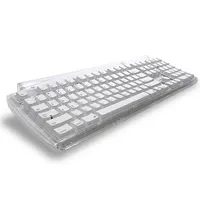
It is wild to think that the modern computer keyboard, with its wireless freedom and programmable macros, traces its lineage back to clunky, non-electric mechanical typewriters. Today, the landscape is anything but static. You can walk into a store and find ergonomic models that defy the flat, rectangular norm. Some even feature lights, rolling designs, or folding mechanisms. Others let you code your own shortcuts, turning a simple input device into a personalized command center.
Yet, beneath all the flashing LEDs and contoured plastic, the core technology remains surprisingly consistent. Most keyboards still rely on the same basic architecture: switches and circuits that convert your physical keystrokes into digital signals a computer can decode. We are going to strip away the marketing fluff and look at how this hardware actually works, why the layout choices matter, and what those different design options mean for your daily typing experience.
The Silent Engine: How Keyboards Translate Input
At its heart, a keyboard is an interface. It does not process data on its own. It simply acts as a gatekeeper for electrical signals. When you press a key, you are closing a circuit. That closure sends a specific electrical pulse to a microcontroller on the keyboard’s internal board. This controller then translates that pulse into a code, which travels via USB or Bluetooth to the operating system.
This process happens in milliseconds. But the mechanism inside the keycap varies.
Most modern keyboards use one of three primary switch types. These differences affect everything from sound to durability.
- Mechanical Switches: Each key has its own independent switch. They are durable, tactile, and often customizable. They are the gold standard for typists who want feedback.
- Membrane Switches: A single rubber sheet sits beneath all the keys. Pressing down pushes the sheet onto a conductive grid. These are cheaper and quieter but often feel mushy.
- Scissor Switches: Common in laptops, these use a low-profile mechanism that allows for a shorter travel distance. They offer a balance between portability and a decent typing feel.
Why does this matter to you? Because the switch type dictates how your fingers feel after hours of work. A bad switch can lead to fatigue. A good one can make typing feel effortless.
Beyond QWERTY: Layouts and Ergonomics
You probably started with a standard QWERTY layout. It was designed in the 1870s to prevent mechanical typewriter keys from jamming by separating commonly used letter pairs. It is not the most efficient layout. But it is the standard.
Alternative layouts exist. Dvorak, for example, places the most frequently used letters on the home row to reduce finger movement. Colemak is another popular variant that keeps most letters in place but optimizes the home row.
“The QWERTY layout was born out of mechanical necessity, not ergonomic efficiency.”
For many users, switching layouts is a hurdle. But for those with repetitive strain injuries, ergonomic designs offer a solution. These keyboards split the keys into two halves, often angled or tented to keep wrists in a neutral position. Some even use a columnar layout, where keys are aligned in vertical columns rather than rows. This reduces the strain of reaching across the keyboard for common letters.