Twitter remains the dominant social media platform in Turkey, boasting the highest user count among social networks and microblogging sites. If you are looking to jump in, connect with friends, and start sharing your own voice, you need a clear path to getting started. We are answering the most common questions right here: how to create a Twitter account, how to register, and specifically how to sign up using a mobile device.
Getting Started on Mobile
The process is straightforward. You can access Twitter either through their website on a desktop or via the mobile application. Once you have an account, you can customize your profile image and adjust settings to your liking. After these quick steps, you are ready to post and follow other users.
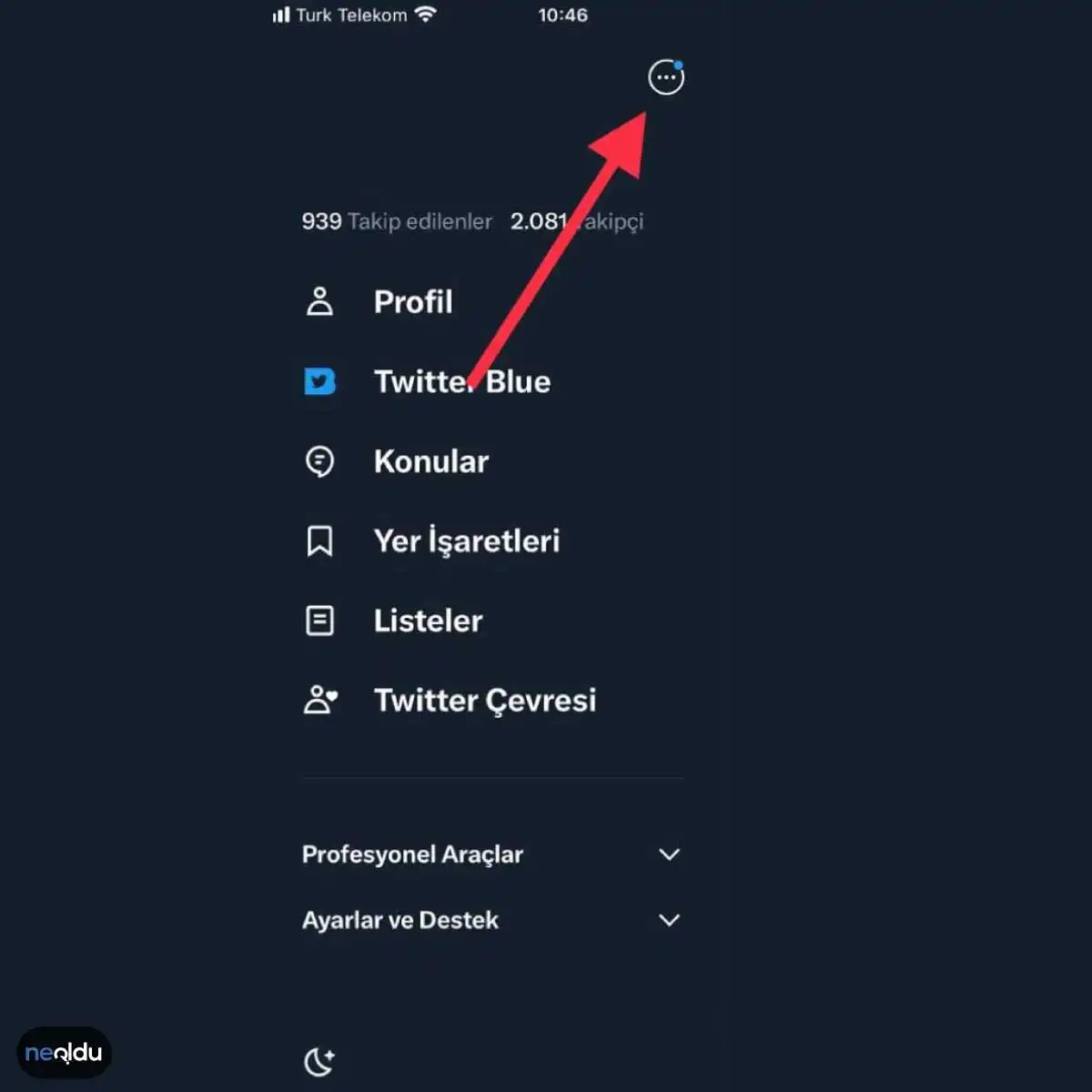
Most new users will encounter the sign-up screen immediately after launching the app. This screen allows you to register effortlessly. If you already have an account and want to add a second one, simply tap the three-dot menu in the upper right corner.
Why This Matters Now
For many users in Türkiye, Twitter is not just an app; it is the primary hub for public discourse. Understanding the basics of registration is the first step toward digital participation. Whether you are looking for news updates or reconnecting with old acquaintances, the barrier to entry is low. The interface is designed to be intuitive, meaning you spend less time figuring out how to log in and more time engaging with content.
Mobile vs. Desktop Registration
While the core registration fields remain consistent, the experience differs slightly between platforms. Mobile users often benefit from auto-fill capabilities using their phone number or existing Google/Apple IDs, making the initial setup faster. Desktop users might prefer the larger screen for reviewing privacy settings before finalizing their profile. Regardless of the device, the goal is the same: get verified, set up your bio, and start scrolling.
What Happens Next?
Once registered, the real work begins. You will need to curate your feed. Twitter’s algorithm learns from your interactions, so the accounts you follow and the tweets you like will shape your future experience. Don’t worry if the feed feels chaotic at first. It takes time to train the algorithm to show you what you actually care about.
“Twitter is a conversation, not a broadcast.”
The platform rewards engagement. Posting consistently, replying to trends, and interacting with communities will help your account gain traction. It is less about having the perfect setup and more about showing up regularly.
There is no final destination on Twitter. The feed never ends.
The Signup Wall: What Happens After You Click
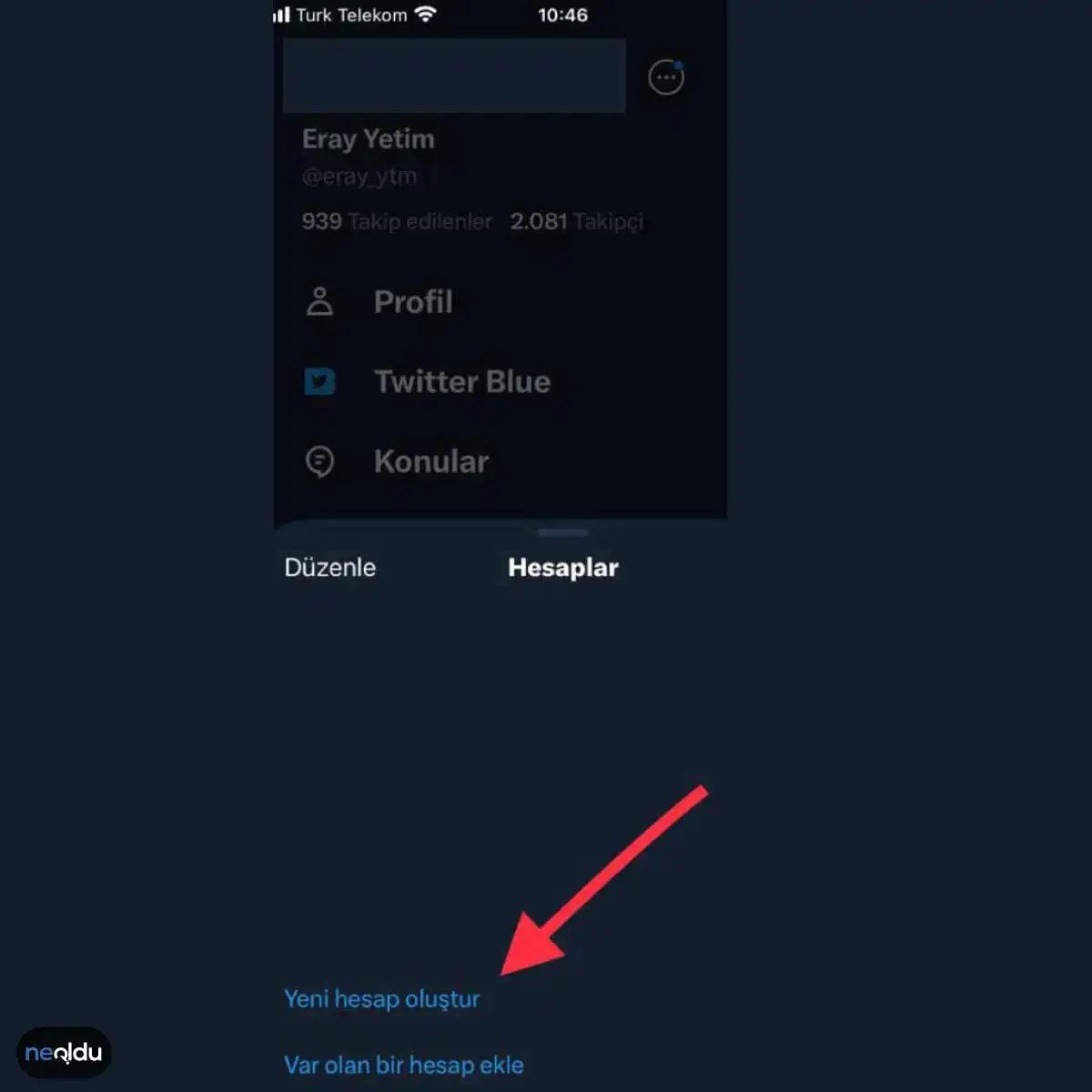
You hit the button. The screen shifts. Now you are staring at a prompt that reads Create New Account. It is simple. Direct.
This is where the actual friction begins.
Before you can post a single thought or scroll endlessly, Twitter (now X, though the interface logic remains largely familiar for legacy users) demands a digital identity. The Twitter account creation process is not just a formality; it is a gatekeeping mechanism.
The Required Fields Explained
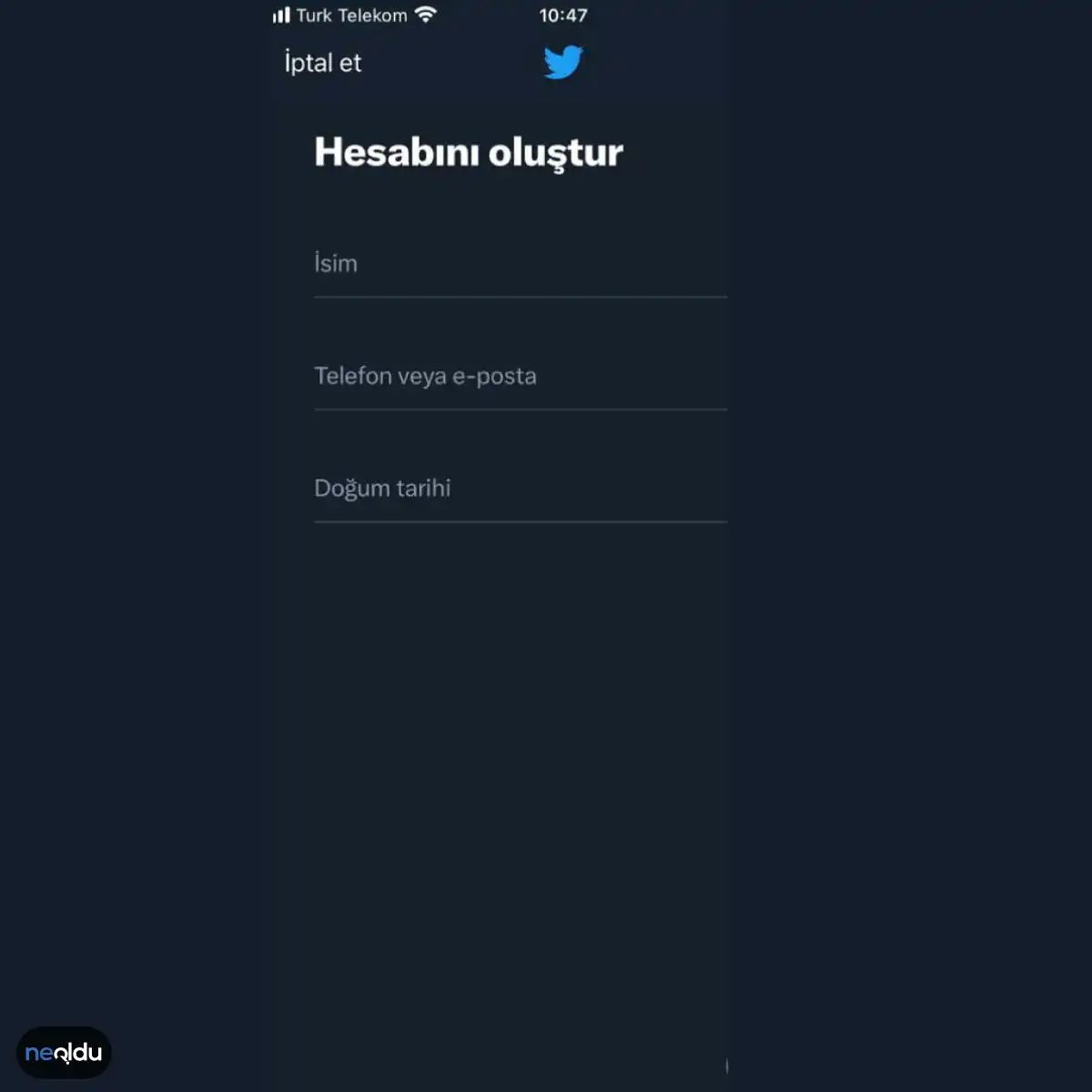
When the create Twitter account screen loads, it does not hold back. It wants three specific data points immediately:
- Name: This is your public-facing label. It does not have to be your legal name, but it is how people find you.
- Phone or Email: You must provide one. This is the verification anchor.
- Date of Birth: Age verification is mandatory.
“You cannot bypass the identity check. The platform needs to know who you are to prevent automated bot networks.”
Why These Specific Inputs?
You might wonder why the platform asks for all this upfront. It is not just to be difficult.
Verification is the first line of defense. By requiring a phone number or an email address, Twitter links the account to a real-world communication channel. This makes spamming and botting significantly harder. If you use a burner email or a virtual number, you may hit walls during verification.
The date of birth check is equally important. It ensures compliance with legal age requirements in various jurisdictions. If you enter an age that suggests you are a minor, the experience is heavily restricted. No direct messaging. No certain features. The algorithm treats younger accounts differently.
How the Process Works Step-by-Step
The flow is rigid. You do not get to choose what to fill out.
- Enter your name.
- Input your email address or mobile phone number.
- Select your birth date.
Once these are submitted, the system moves to the next stage. You will likely be asked to verify the email or phone number you just provided. This step is critical. Without verification, the account remains incomplete.
Which Method is Better? Phone or Email?
This is a common point of confusion for new users.
Using a mobile phone number often leads to faster verification via SMS code. It also ties the account more tightly to a physical device. Some users find this convenient. Others find it invasive.
Using an email address offers more privacy. You can use a secondary email that is not linked to your primary digital life. However, email verification can sometimes be slower. The link might end up in a spam folder. Or the server might block the verification email entirely.
The choice affects your long-term account security. If you lose access to the phone number, recovering the account is harder. If you lose the email, you might lock yourself out completely.
The Next Step in Account Setup
Once you submit the name, contact info, and birth date, the screen changes again. You will be prompted to create a username and password. This is where you define your handle.
The form is simple, but the implications are not. You are building a digital footprint. Every click you make from here on
Twitter Privacy Policy and Account Setup
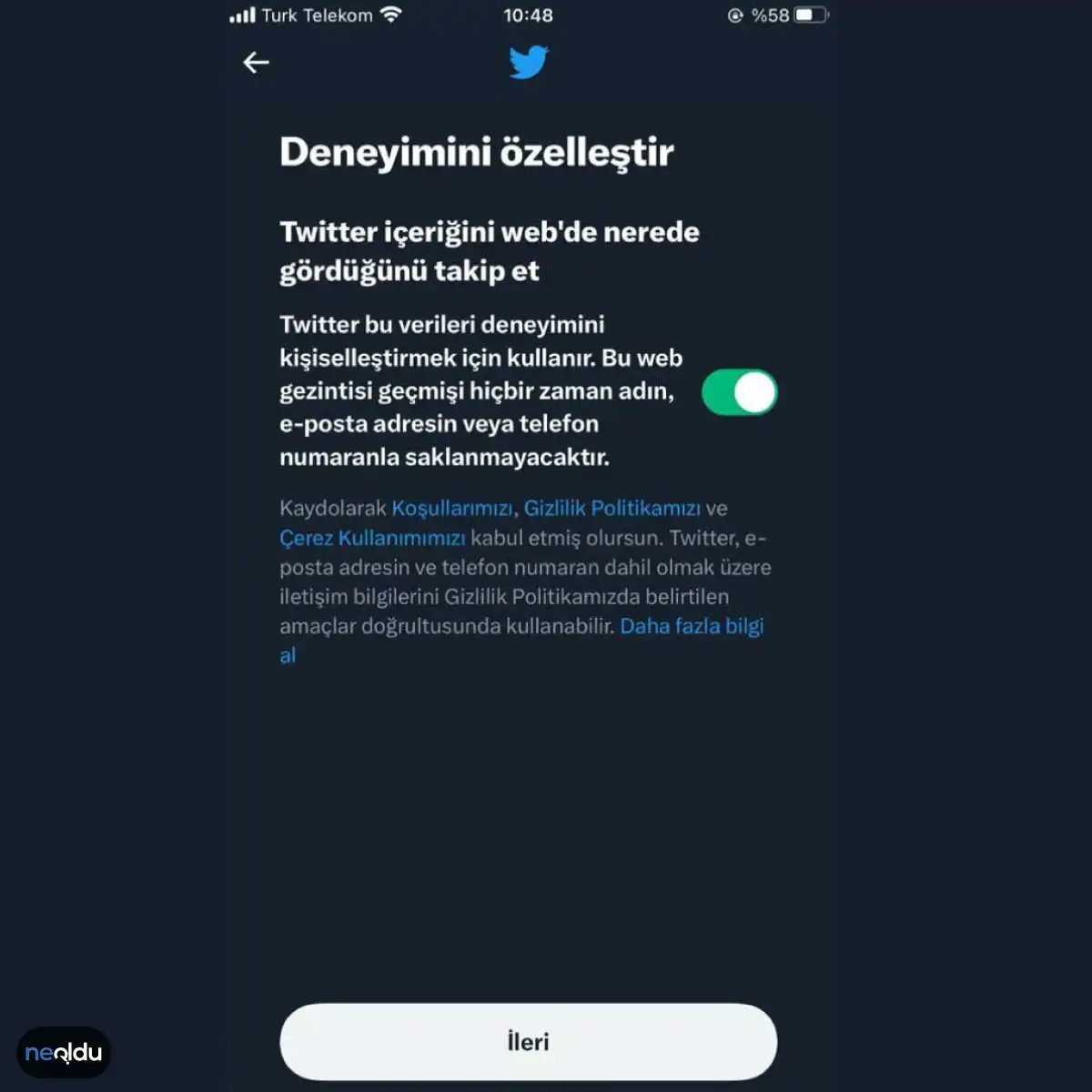
If you have reached this step, you are likely facing a standard compliance screen. Twitter, now officially branded as X, enforces its own set of privacy policies. You must review and accept these terms to proceed.
This is not an optional hurdle. The platform requires explicit consent before allowing new accounts to be created. Once you click through the privacy notice, the registration process continues. Without this acknowledgment, the sign-up button remains inactive.
“Twitter’s own privacy policies must be approved before you can complete the registration process.”
This step ensures that users are aware of how their data is handled, from location tracking to personalized advertising. It is a legal requirement for operating in many jurisdictions. Ignoring it is impossible. The interface will not let you bypass it.
Click accept. Move on.
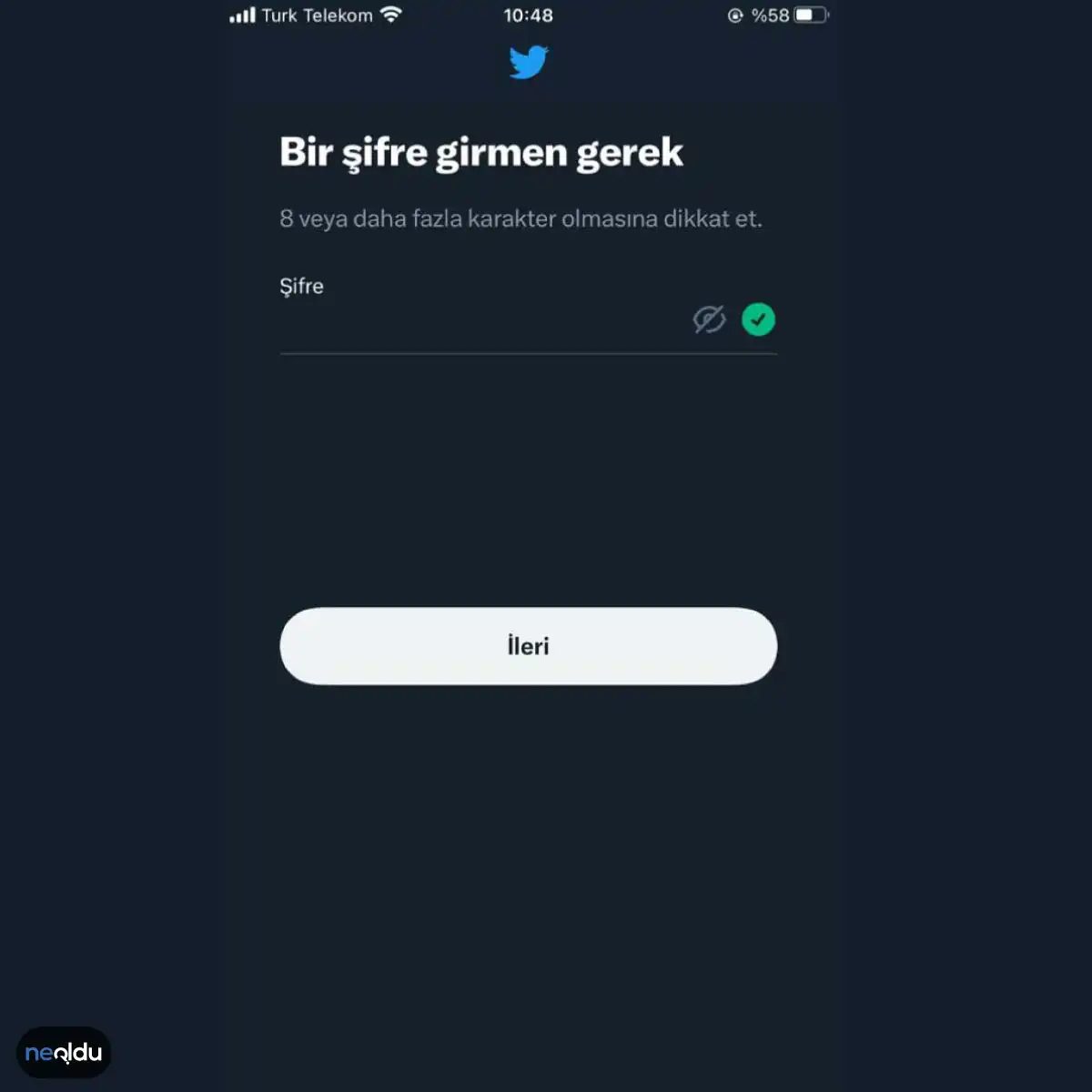
The Password Trap You Can’t Ignore
Let’s be honest. Passwords are the first line of defense, and most people treat them like an afterthought. But when it comes to Twitter account creation, the rules are strict. The platform enforces specific criteria, and ignoring them means you won’t get past the signup screen. It’s not just about complexity for the sake of complexity; it’s about preventing the kind of weak credentials that get harvested in seconds.
You need to construct a string that satisfies the algorithm without memorizing a cryptographic key. This isn’t about finding the perfect balance between ease and security—a myth anyway. It’s about meeting the baseline requirements that prevent your new profile from becoming the first victim of a brute-force attack.
Why does this matter? Because a compromised account isn’t just a lost identity. It’s a vector for spam, phishing, and misinformation. The platform’s criteria are designed to ensure that every handle represents a human, not a bot farm.
How to Build a Compliant Password
Twitter doesn’t publish a public API for validation errors, so you learn quickly. Here is what typically works:
- Length matters. Short passwords are dead on arrival. Aim for at least twelve characters.
- Mix it up. Lowercase, uppercase, numbers, and symbols. The more variety, the harder the guess.
- Avoid the obvious. No “password123,” no birthdates, no pet names. If it’s in your bio, it’s not a secret.
“A strong password is the only thing standing between your digital identity and a hijacker’s keyboard.”
Why Simple Isn’t Safe
You might think using a unique word is enough. It’s not. Modern cracking tools iterate through combinations faster than you can blink. The criteria Twitter sets are there to raise the cost of entry for attackers. If your password is weak, your account is a low-hanging fruit. And in the ecosystem of social media, low-hanging fruit gets picked first.
Where Users Trip Up
Most failures happen because people reuse passwords. They take a strong password from one service and slap it onto Twitter. Big mistake. If that other service leaks, Twitter is next. The criteria force you to create something isolated. Something unique.
Which Criteria Are Non-Negotiable?
While Twitter updates its policies periodically, the core requirements remain consistent:
- Minimum length. Usually eight characters, but longer is better.
- Character diversity. Must include letters and numbers.
- No common patterns. Sequences like “1234” or “qwerty” are flagged instantly.
It’s tedious. It feels like bureaucracy. But it’s the price of entry.
The Aftermath
Once you get past this hurdle, you’re in. But the work isn’t done. A strong password is just the foundation. Without two-factor authentication, you’re building on sand. The creation process is just step one. The real battle is maintaining the integrity of that account once it’s live.
You have the key now. So what are you going to do with it?
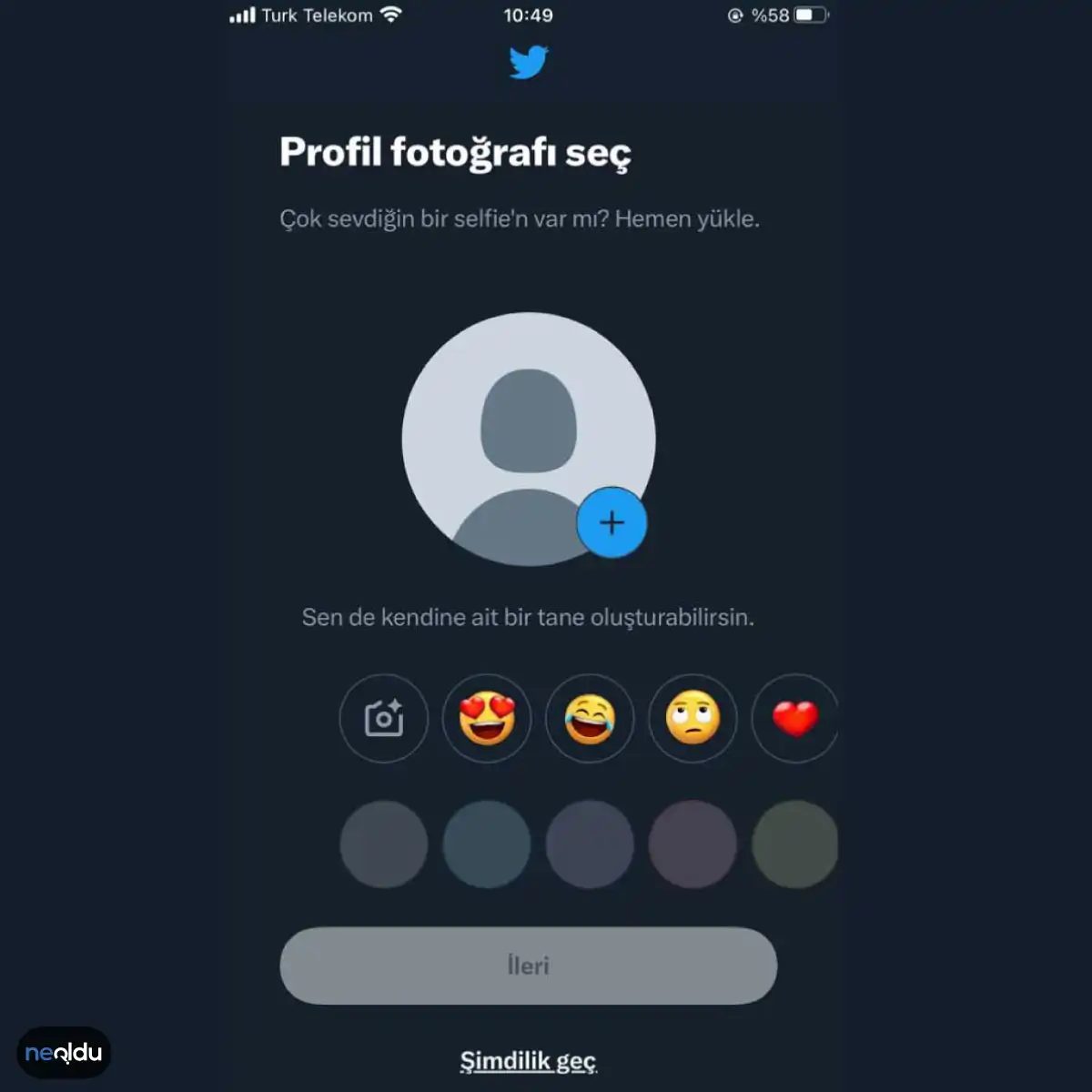
Skip the Profile Photo
You don’t have to upload a picture of yourself here. It’s optional. If you’d rather not deal with image uploads right now, just skip it. Twitter allows you to move forward without a headshot.
Use Emojis as Placeholders
Instead of a photo, you can pick an emoji. These are small, expressive icons. They serve as your visual identity for now. Select one that fits your vibe. Then hit the button to continue. It’s a quick way to bypass the photo requirement.
Handle Follow Recommendations
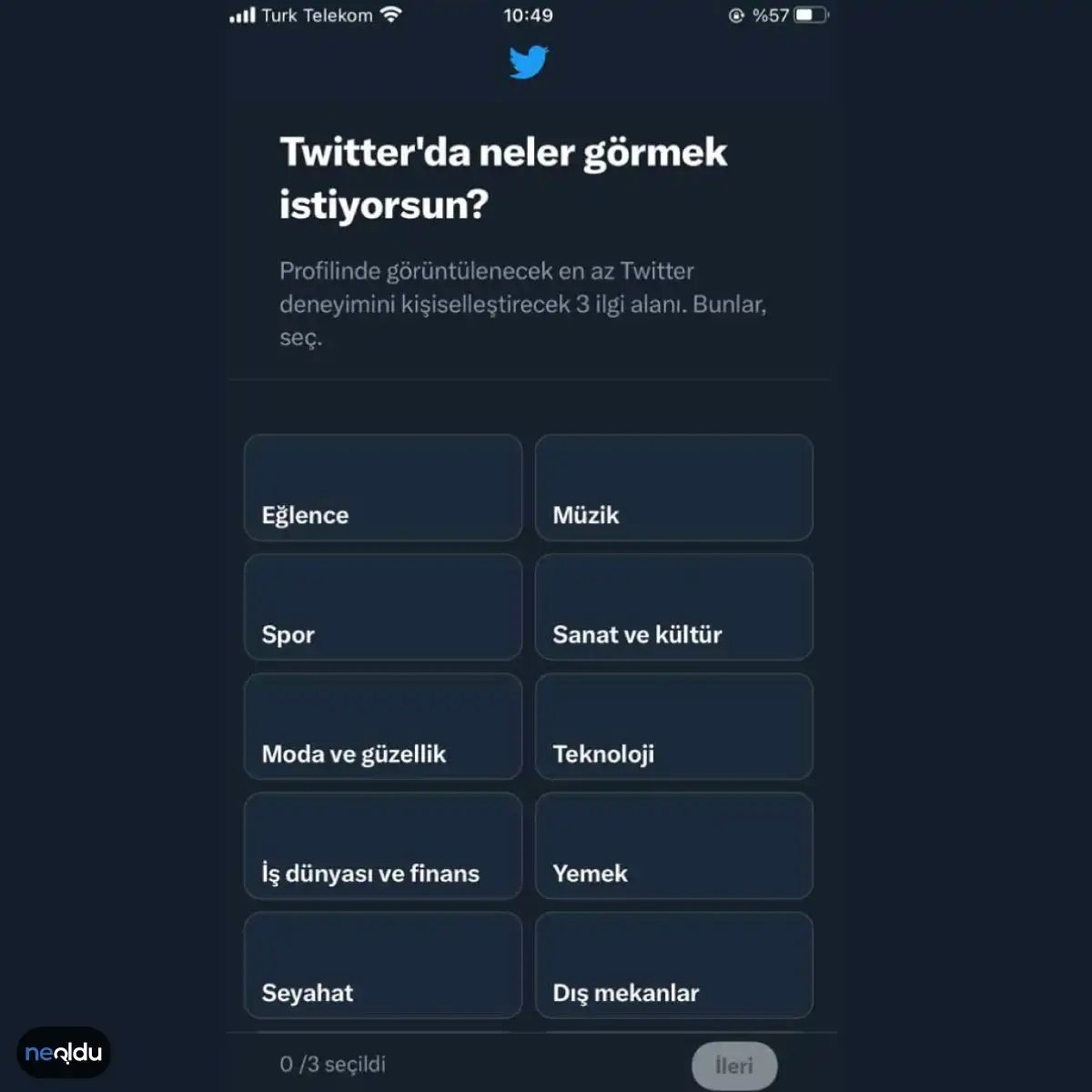
After you click through, Twitter shows a new screen. This page suggests accounts to follow. The algorithm looks at categories you’ve already selected. It matches your interests with other users. These are “suggested follows.”
You can ignore them. There is no pressure to follow anyone immediately. If the suggestions look irrelevant, just skip this step. You can build your feed later. It’s better to curate your own timeline than to accept random suggestions.
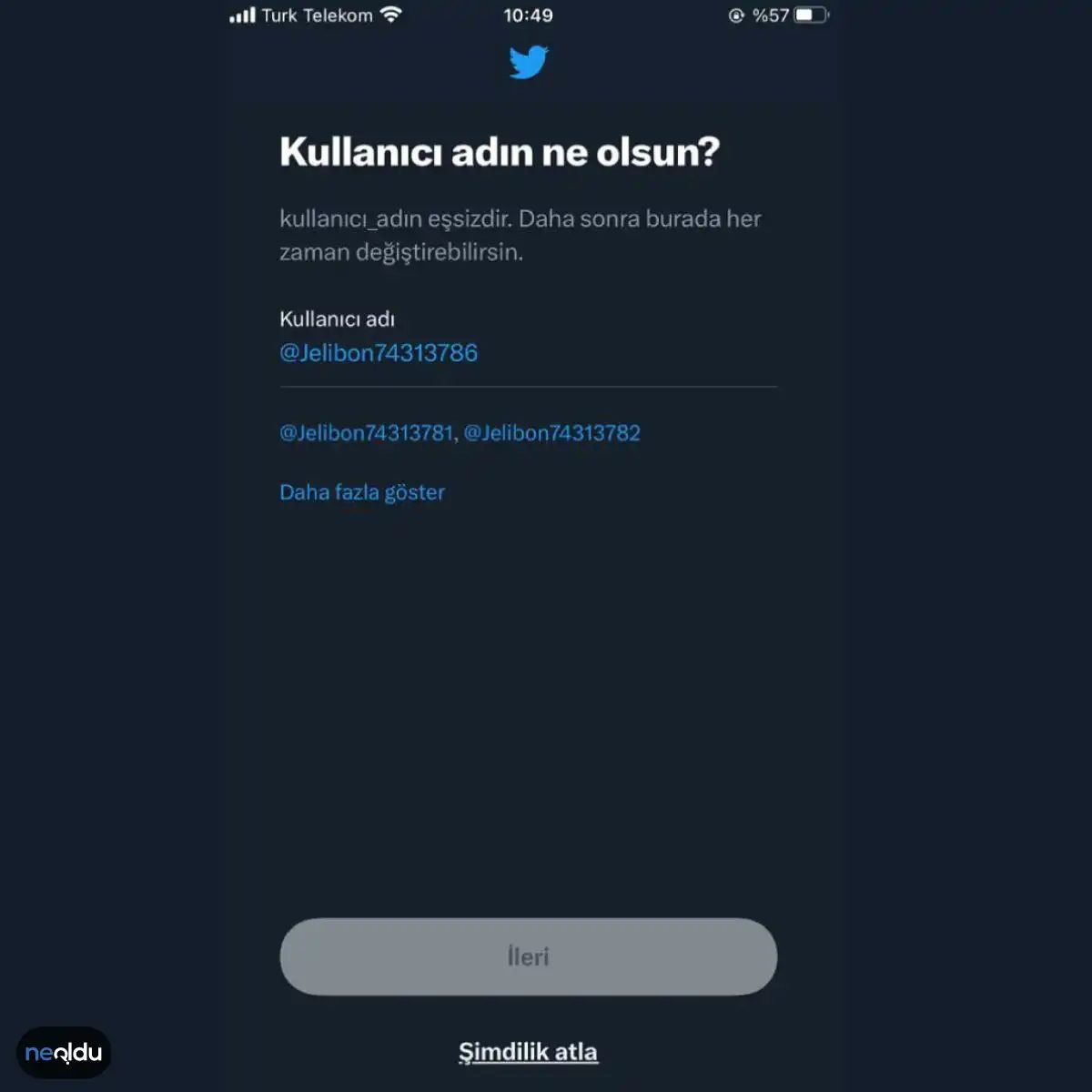
The final hurdle: claiming your identity
You reach the end of the sign-up flow. The technical hurdles are cleared. Now comes the personal branding piece. You have to pick a username.
It sounds trivial. It isn’t.
The system checks one thing above all else: availability. Your chosen handle must not already be claimed by someone else. If it’s taken, you get a rejection. No middle ground.
This is where many users stumble. They try their first choice, get blocked, and bounce. The rule is simple. Unique. Unclaimed.
Think of it as digital real estate. Prime locations go first. If you want a clean, short, memorable ID, you have to act fast. Or you get creative with numbers and underscores.
“The username is your permanent address in the app.”
Once you land on a name that isn’t in use, you click through. Done. The account is yours.

Securing Your Twitter Account: A Practical Guide
Keeping your Twitter account safe isn’t just about avoiding spam bots. It’s about protecting your digital identity. The platform is a public square, but your login credentials are the gatekeeper. If you leave that gate open, anyone can walk in.
Create a strong, unique password
Stop reusing passwords. If you use the same password for Twitter as you do for your email or banking, you are playing with fire. A strong password is non-negotiable.
Make it long. Mix upper and lower case letters, numbers, and symbols. Do not use dictionary words or personal details like your birthday. If a breach hits another site, you do not want that key to work here. Update it regularly.
Enable two-factor authentication (2FA)
This is the most important step most people skip. Twitter offers two-factor authentication to add a second layer of security. Even if someone steals your password, they cannot enter without this second key.
When you log in, you will need a verification code. This code is usually sent to your mobile phone via SMS. You can also use authentication apps for better security. Without this code, the stolen password is useless. It blocks unauthorized access effectively.
Configure Privacy and Security Settings
Your default settings are often too open. You need to check them manually.
Make your account private
If you do not want strangers reading your timeline, set your tweets to private. This restricts who can follow you and see your posts. Only approved followers can view your content. It is a simple toggle, but it changes the dynamic of your account completely.
Control who can interact
Decide who can reply to your tweets. You can limit this to people you follow, or anyone. You can also control who can mention you. Adjust these settings to match your comfort level. Less noise, more control.
Turn On Security Alerts
Twitter watches for suspicious activity. Let it warn you.
Enable notifications for new logins. If someone tries to access your account from a device or location you do not recognize, you get an alert. This allows you to act fast. You can lock down the account before any damage is done. Do not ignore these alerts. They are your early warning system.
Block Spam and Suspicious Accounts
Spam accounts clutter your feed and can be vectors for malware.
Block and report
If you encounter accounts posting spam or suspicious links, block them immediately. Report them to Twitter as well. This helps clean up the platform for everyone.
Avoid suspicious links
Never click on links from accounts you do not trust. Even if the message looks familiar, it could be a spoofed account. Phishing attempts are common on Twitter. They look like official tweets or messages from friends. Verify the source before clicking.
Why Twitter Matters and Its Popularity
Twitter (now X) remains a central hub for real-time information. Its popularity stems from its immediacy. News breaks here first. Politics, sports, and entertainment all move faster on this platform than anywhere else.
Users flock to it for direct access to public figures, journalists, and experts. There is no algorithmic filter in the traditional feed (though this has changed with algorithmic timelines, the core value remains speed and directness). It is a place for live conversation.
For businesses,

Hız. Bu kelime Twitter’ı anlamanın anahtarı. 🚀
Bir mesajın gönderilmesinden dünyaya ulaşmasına kadar geçen süreyi düşünün. Saniyeler. Bu anlık bilgi akışı, platformun popülaritesinin arkasındaki itici güç. İster bir birey, ister büyük bir medya kuruluşu, isterse bir ünlü olun. Kurallar aynı. Kendi fikrini, haberini veya yaşadığın anıyı paylaş.
Gerçek zamanlı bir iletişim aracı olarak Twitter, trendlerin ve kırılan haberlerin kaynağı. Acil durumlar? Doğal afetler? Sosyal hareketler? Twitter, bu bilgiler doğrulanana kadar bile, halkın ilk durak noktası oluyor.
Neden Twitter Önemli?
Buradaki önemi sadece “dikkat çekmek” değil. Birkaç katmanlı bir işlevi var.
İlk olarak, sesini duyurmanızı sağlıyor. Tweet atmak, düşünce özgürlüğünü pratik hale getiriyor. Farkındalık yaratmak kolay. Ama daha fazlası var. İkincisi, hız. Haberler Twitter’da doğar. Özellikle kriz anlarında, geleneksel medyadan önce veya onunla aynı anda, yerinden bilgilerin akması kullanıcıları yetkili kaynaklara yönlendirir.
Üçüncüsü, pazarlama kanalı. Markalar için bu sadece bir sosyal medya hesabı değil. Müşteri ilişkileri, ürün lansmanları, direkt etkileşim. Hashtagler (#) ve etiketler (@) sayesinde kampanyalar geniş kitlelere ulaşır. Kullanıcılar markayı konuşur. Bu organik büyüme, reklam bütçesinden daha etkilidir.
Twitter Hesabı Açmak İçin Gerekenler
Bir hesap oluşturmak aslında çok basit. Ama doğru yapmak için dikkat etmeniz gereken detaylar var. İşte adım adım süreç:
-
Gereksinimler:
- Geçerli bir e-posta adresi veya telefon numarası. (E-posta daha güvenli, çünkü iki faktörlü doğrulama için kullanılır.)
- Güçlü bir şifre. Harfler, sayılar ve semboller içermeli.
- Geçerli bir doğum tarihi. (Yaş sınırı ülke bazında değişir, genellikle 13 yaş.)
-
Kayıt Süreci:
- Twitter’ın resmi web sitesine veya mobil uygulamasına gidin.
- “Kaydol” butonuna tıklayın.
- E-posta veya telefon numaranızı girin.
- E-posta seçerseniz, gelen kutunuza gelen doğrulama kodunu girin. Telefon seçerseniz SMS ile gelen kodu onaylayın.
- Kullanıcı adı (handle) belirleyin. Bu, @ işaretinden sonra görünen ve benzersiz olan kimliğiniz.
- Şifre oluşturun.

Is creating a Twitter account still worth the hassle?
Let’s be clear about what X, formerly known as Twitter, actually is. It’s a microblogging platform. The name might change. The logo might shift. The core mechanic remains the same. You post short bursts of text. You follow people. You argue with strangers. You keep up with breaking news faster than any newspaper will.
If you are thinking about opening a Twitter account, you need to understand what you are signing up for. It isn’t just a social network. It is a public square. Every word you type is potentially visible to millions.
Here is what you need to know before you click “Sign up.”
Hardware and Identity Requirements
You do not need a supercomputer to join. A basic smartphone or any standard laptop will suffice. The barrier to entry is low. The real requirement is identity.
You must provide a valid email address or a phone number. This is not optional. Twitter uses these channels to verify that you are a real person. This step prevents bots from flooding the platform. It also allows the system to recover your account if you lose your password.
Without one of these contact methods, the registration process stops. Period.
The Age Gate
Twitter enforces a strict age limit. You must be at least 13 years old to create an account. This is not a suggestion. It is a compliance requirement based on the Children’s Online Privacy Protection Act (COPPA) in the United States and similar regulations globally.
When you sign up, the platform may ask you to enter your birth date. If you lie about your age, you risk having your account suspended. If you are under 13, you are not supposed to have an account. Parents should be aware of this before allowing children to use the platform.
Privacy and Public Nature
Twitter is open by default. This is a critical distinction from platforms like Facebook or Instagram. On those networks, your posts are often restricted to friends or followers. On Twitter, anyone can see your tweets unless you change your settings.
Before you start posting, you need to understand privacy controls. You can switch your account to private. This means only approved followers can see your tweets. You can also manage who can reply to your posts. This can be set to “Everyone,” “People you follow,” or “People you mention.”
Protecting your personal information is essential. Do not post your home address. Do not share financial details. Assume everything you type is public.
The Account Creation Process
Once you meet the age requirement and have your email or phone ready, the process is straightforward. You can use the Twitter website on a desktop browser. Or you can download the mobile app for iOS or Android.
The steps are nearly identical.
1. Enter your name.
2. Enter your email or phone number.
3. Create a password.
4. Verify your identity via code sent to your email or phone.
5. Choose a username.
After verification, you will land on your profile page. From there, you can upload a profile picture. You can write a bio. You can customize your theme. Personalizing your profile helps establish your voice. It tells visitors who you are.
Cost and Security
Is creating a Twitter account free? Yes. The basic service costs nothing. You do not need a credit card to sign up. There are paid tiers for additional features like longer videos or advanced analytics. But for the standard experience of posting and reading, it is free.
Security is your responsibility. Twitter provides tools. You must use them.
- Two-Factor Authentication (2FA): Enable this. It adds a layer of security beyond your password. Even if someone