The promise of AI in our pockets has felt like a joke for years.
Your phone promises intelligence. In reality, you are manually switching apps, dragging widgets, and praying to the algorithmic gods for a simple photo crop to finish.
Not anymore. The Samsung Galaxy S26 Ultra stops playing games with your data and your time.
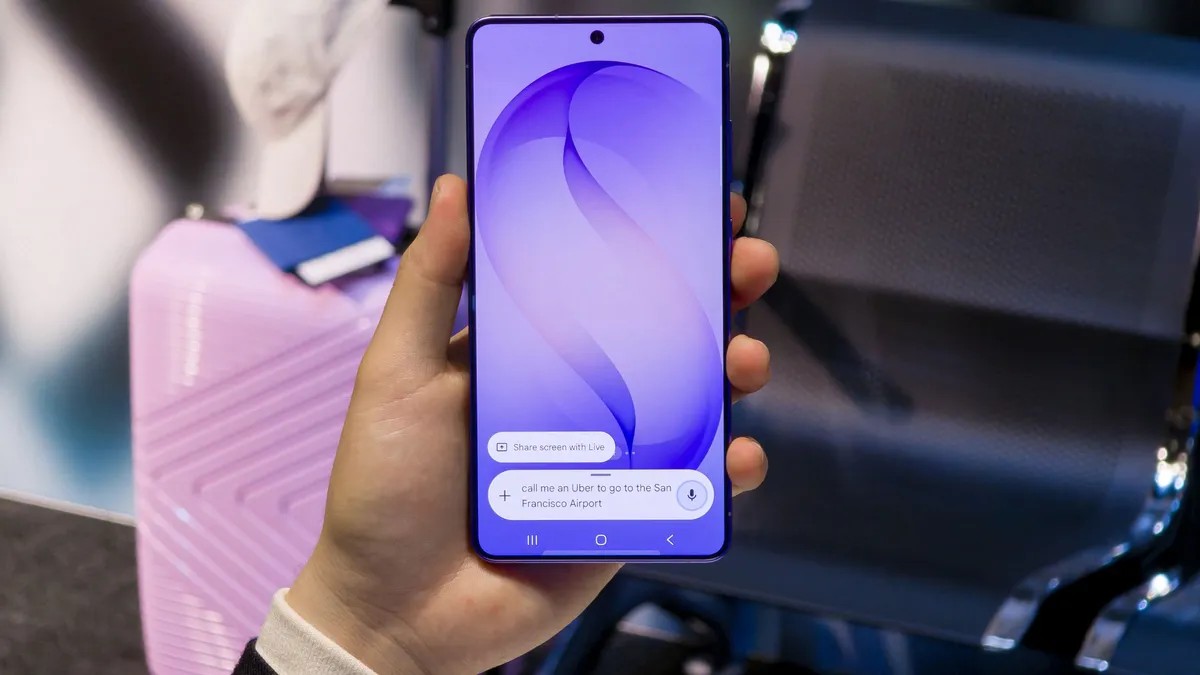
This isn’t just another “smartphone with a chatbot.” It is the first device where AI lives in the silicon, not on a remote server. The result? Speed. Privacy. A phone that actually feels like it knows you.
A Neural Core Designed for Local Processing
Samsung didn’t just slap an NPU onto the S26 Ultra; they rebuilt the engine block around it.
Under the hood sits the custom Snapdragon 8 Elite Gen 5. But the numbers matter. Against previous Galaxy models, Samsung is boasting a 39% jump in Neural Processing Unit (NPU performance. GPU gains hit 24%, CPU steps up by 19%.
Why does this raw power matter to you?
Latency.
When your phone processes AI locally, the round-trip time to a data center vanishes. You speak, it hears. You point, it recognizes. There is no lag waiting for the cloud to answer back. And critically, your data stays on the device. You aren’t feeding your photo gallery to a third-party server.
There is a side benefit, too: battery life. On-device inference saves energy compared to constant data transfers. The 5,000 mAh battery hits 75% charge in about 30 minutes on a 60W charger [5], which is necessary when you are running heavy generative models locally.
AI shouldn’t be an app you remember to open. It should be the operating system itself.
Photo Assist and Creative Studio: Editing Without Leaving the App
Most people don’t want to download Photoshop just to fix a shadow on their cat.
The Galaxy AI’s Photo Assist lives directly in the Gallery. Open an image. Tap the starburst icon in the middle of the bottom toolbar. Describe what you want.
“Move the man in the blue shirt to the left.”
“Make it look like sunset.”
“Add a hat.”
You can refine it with voice or text. The original stays safe in the background; you just keep the AI-polished version. It’s fast because the heavy lifting is done by that powerful NPU we mentioned.
For more creative output, Creative Studio (accessed via the Edge panel) lets you generate assets. Stickers? Greeting cards? Invitations? Your photos become the input. The S26 Ultra generates the layout. Professional results. Zero learning curve.
Now Brief and Now Bar: Context Before You Click
We waste minutes a day checking notifications. We check them when we want to check something specific, which means unlocking, swiping, and locking the phone repeatedly.
Samsung’s answer is Now Brief and Now Bar.
Now Brief aggregates context from connected apps into a summary for your morning, afternoon, or evening. Meetings? Travel alerts? Weather? It’s all surfaced before you even touch the display.
Then there’s Now Bar. This lives on the lock screen and status bar. It tracks live events without needing to unlock the device.
Is a sports score flashing while you wait in line? Is Maps giving turn-by-turn directions while your car Bluetooth is active? Is a voice memo recording in the background? The Bar shows you. You don’t have to interrupt your day to check.
Bixby Redesign and True Automation
Old Bixby was rigid. New Bixby speaks human.
On the S26 series, Bixby understands natural language queries. You don’t navigate a maze of sub-menus anymore. You just ask. “Set a timer for twenty minutes for pasta.” Done.
But the real magic is Automation in Modes and Routines. You can create conditions that trigger actions without any manual toggling.
Detect your location? Drop into “Driving Mode” the moment you pair your car.
See your heart rate spike? Enter a low-distraction focus mode automatically at the gym.
Hit 20% battery? Toggle Power Saving before the phone dies.
The phone anticipates. You just live.
Call Screening: Answering the Unknown with AI
That ringing. You don’t recognize the number. It’s either the recruiter who called for a week or a bot selling extended car warranties.
Call Screening solves this. It routes the call through an AI that transcribes the conversation in real-time.
Does the caller sound legitimate? You pick up.
Is it spam? Block it.
Too risky to engage? Let the AI handle it.
It works across more than a dozen languages. You can even auto-screen all unknown numbers so your phone doesn’t even ring for them. Quietly filtering the noise so you only talk to people who matter.
Privacy Display: The Hardware-Level Shield
Have you ever sat on a bus and felt like someone is reading over your shoulder?
It happens. Always.
The Privacy Display feature isn’t software gimmickry; it’s a hardware limitation. You activate it via the Quick panel or a customizable side button. Suddenly, the viewing angle narrows drastically.
Peers see black. You see clarity.
You can even configure it to trigger automatically when you enter a PIN or open sensitive apps, or use Partial Screen Privacy to keep notification previews dark while allowing full-screen content. Your screen stays yours.
The Bottom Line
AI is supposed to remove friction, not create new menus.
For years, manufacturers have shoved AI features into separate apps. They force you to remember to open “AI Editor” to change the background of a photo.
Samsung Galaxy AI changes the paradigm. It threads intelligence through the OS. From lock-screen briefs to privacy shields, the features work in the background or appear when you need them. No extra apps. No data leaving your phone for basic tasks. Just speed and utility.
The S26 Ultra arrives now at samsung.com [4].
And maybe, just maybe, this is what AI was always supposed to feel like.