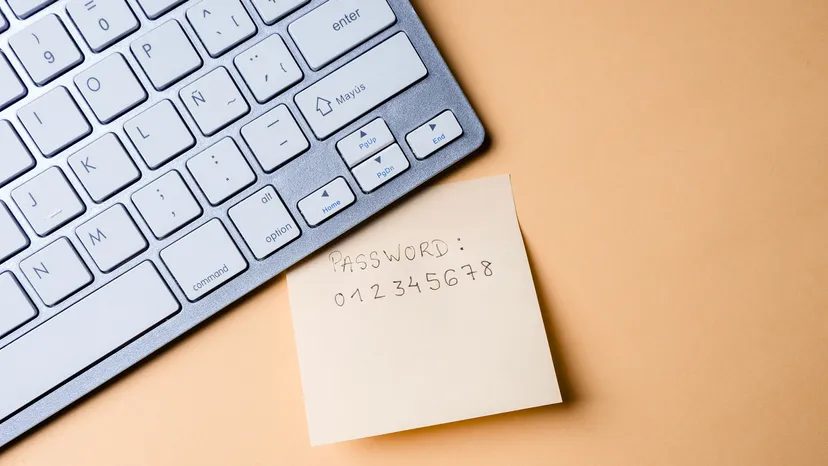
You have dozens of accounts. Maybe hundreds. Checking them all requires a mental load that most people aren’t willing to carry. The result? You fall back on the path of least resistance. You pick a password that is easy to remember. You reuse the same string across five different sites. It feels convenient.
It is also a security nightmare.
Cybersecurity firm NordPass tracks this behavior annually. Their 2024 data, drawn from breaches across 44 countries, highlights just how bad the habit has become. The most common passwords list is a graveyard of digital security. Here is what the top offenders look like and why you need to stop using them immediately.
The Top 25 Most Common Passwords of 2024
These aren’t just random guesses. They represent the lazy defaults of millions of users. NordPass found these strings in data breaches, logged with their frequency of use.
- 123456 : 1.2 million occurrences
- 123456789 : 693,000 occurrences
- 12345678 : 365,000 occurrences
- secret : 339,000 occurrences
- password : 196,000 occurrences
- qwerty123 : 144,000 occurrences
- qwerty1 : 138,000 occurrences
- 111111 : 106,000 occurrences
- 123123 : 102,000 occurrences
- 1234567890 : 93,000 occurrences
- qwerty : 92,000 occurrences
- 1234567 : 86,000 occurrences
- 11111111 : 80,000 occurrences
- abc123 : 58,000 occurrences
- iloveyou : 54,000 occurrences
- 123123123 : 51,000 occurrences
- 000000 : 46,000 occurrences
- 00000000 : 45,000 occurrences
- a123456 : 42,000 occurrences
- password1 : 41,000 occurrences
- 654321 : 41,000 occurrences
- qwer4321 : 36,000 occurrences
- 1q2w3e4r5t : 35,000 occurrences
- 123456a : 35,000 occurrences
- q1w2e3r4t5y6 : 34,000 occurrences
Look at the top five. Simple numbers. The word “password” itself. It sounds absurd, but convenience wins every time against vigilance.
Why Keyboard Patterns Are a Disaster
Scroll through that list and a pattern emerges. It isn’t random. The majority of these strings follow the physical layout of your keyboard. QWERTY keys. Sequential numbers.
This is a catastrophic security failure.
Hackers do not need advanced artificial intelligence to break these. They use automated scripts. These scripts run brute-force attacks using the most common password lists. They test these strings against your account in seconds. If you use qwerty123 or 123456, your account is likely compromised before the attack even registers as an alert.
Even “common nouns” like “secret” or “iloveyou” are weak. They are the first words tried in any dictionary attack. They offer no real barrier to automated tools.
The Personal Data Trap
Beyond keyboard mashing, there is another category of vulnerability. It involves personal information.
The trend analysis shows that people use animal names (monkey, dragon, unicorn). They use sports (baseball, football, soccer). They use their own first names, like “ashley” or “michael,” often in all lowercase.
Worse still, people embed identifying data into their credentials. Parts of their name. The city they were born in. Their birth year.
Why is this dangerous? Because this data is public. It is on social media. It is in old data breaches. Scammers can piece this together in minutes. Someone you know can guess it if they have half a clue about your life.
Key Insight : Any password containing personal identifiers or common phrases is weak. It can be phished or guessed by acquaintances.
How to Build a Stronger Defense
The lesson from the 2024 data is clear. The methods people use to create strong passwords are actively making them weaker.
Avoid strings in numerical or alphabetical order. Avoid keyboard walks. Avoid common nouns. And crucially, avoid any personal information.
A strong password looks nothing like the top 25 list. It should be random. It should be long. It should not exist in any dictionary.
Key Insight : Stop adding “1” or “!” to a weak word. It doesn’t help. It
Most people treat their digital life like a open house. They leave the doors unlocked and the lights on. If you want to actually protect your data, you have to stop thinking like a user and start thinking like a target. The good news is that the tools are free. The bad news is that most people ignore them until it is too late.
1. Stop Trusting Your Brain With Passwords
The single biggest mistake people make is trying to be clever with their passwords. You know the drill. “Password123” is lazy. “Summer2024!” is predictable. Even if you swap out the year or add a symbol, it is still a pattern. A human brain is terrible at randomness. It craves structure. Hackers love structure because it is easy to break.
The only truly secure password is one you do not know.
Web browsers like Chrome can generate these strings for you. They create long, chaotic mixes of uppercase, lowercase, numbers, and punctuation. A brute force attack—where software tries every possible combination—becomes mathematically impossible with enough length and complexity.
The catch? You cannot remember it.
So you write it down. Or you save it. This leads to the next point.
2. Why Two-Factor Authentication Is Non-Negotiable
Two-factor authentication (2FA) adds a second layer of verification. It is not just “nice to have.” It is the difference between a broken lock and an open door.
Here is how it works. Even if a hacker steals your password through a data breach or phishing scam, they cannot log in without the second factor. This could be a text message to your phone, an email code, or a time-sensitive token from an app like Google Authenticator.
The math is simple. To get in, they need both your password and your physical device. If they have one but not the other, they are locked out.
“Two-factor authentication ups the security factor exponentially because even if a hacker had stolen that password, they would not be able to log in unless they had also compromised that second e-mail account or gained physical access to your smartphone.”
Yes, it adds a few seconds to your login process. You will tap an extra button. You will check your phone. Do it. The time saved in avoiding identity theft is infinite.
3. The Credential Stuffing Trap
Using the same password for every account is the fastest way to lose everything.
Imagine you use “MyDogIsMax1” for your email, your bank, and your shopping site. One of those sites gets hacked. The attackers dump the database onto the dark web. They do not care about your email. They care about your money.
They use a script. This script takes that one password and tries it on hundreds of other major sites. This is called credential stuffing. It is low effort for them and high reward.
If you use a unique password for every single account, the success rate of this attack drops to zero. One breach only compromises one account. The rest remain safe. It is that simple.
4. The Password Manager Dilemma
You need complex, unique passwords. You cannot remember them. You need a tool.
Enter the password manager. These applications store your credentials in an encrypted vault. You only need to remember one master password. The software fills in the rest. Most modern browsers have this built-in. It is convenient. It syncs across devices.
But there is a risk.
If you use a cloud-based password manager, your vault is on a server. If that server is hacked, your keys are exposed. If you lose your master password, you are locked out forever unless you have a recovery plan.
For maximum security, look for offline solutions. Some password managers store data only on your local machine. No cloud sync. No remote server. There are even hardware devices that look like USB drives or calculators. They have no internet connection. They are air-gapped by design.
“The most secure managers only save the passwords onto your local machine and not to any server.”
If you go the offline route, you must remember your master password. Write it on paper. Hide it in a safe. Do not put it next to your computer. Do not save it in a text file on your desktop. Physical security matters when digital security is local.
Ancient Roots of Modern Secrets
We are not the first to worry about spies and secrets. Encryption is not a modern invention. It dates back thousands of years.
The earliest known example appears in ancient India around 300 B.C.E. The Arthashastra, a Hindu text on statecraft, describes soldiers and spies using coded messages. They needed to pass information without enemies reading it. They used substitution ciphers. They changed the meaning of the letters.
We use the same logic today. We just use faster computers and more complex math. The principle remains the same. Hide the meaning. Protect the key.
You can keep using the same password you had in 2015. Or you can use a random string, two-factor authentication, and a unique vault. The choice is yours. The hackers are waiting.