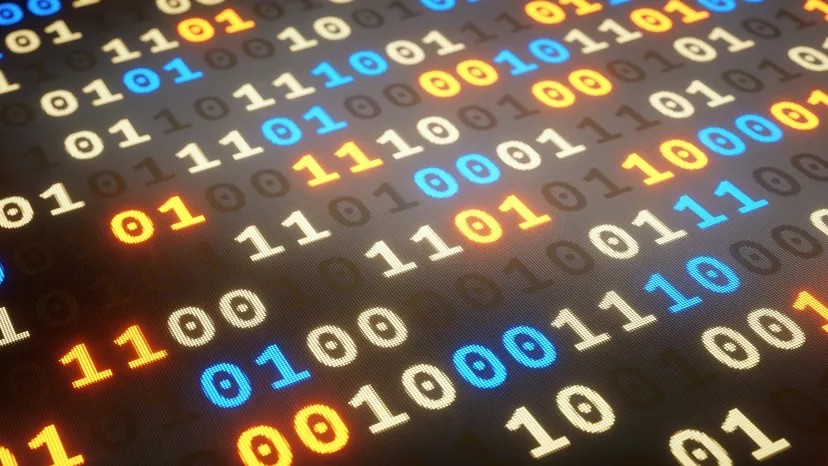
You have probably seen these words before. Bits and bytes are everywhere. You see them when you check your RAM. You see them when you look at file sizes. Advertisements use them too. They will tell you a computer has a 32-bit processor. They will say it has 64 megabytes of memory. They might mention 2.1 gigabytes of storage.
Understanding these terms is not just for tech geeks. It helps you make sense of what your computer actually does. This guide explains the basics of binary numbers. It shows why we use bits and how they form bytes.
Decimal Numbers and Place Value
To understand bits, start with numbers you already know. Digits are the building blocks of decimal math. A single digit holds a value from 0 to 9. We group these digits to make larger numbers.
Take 6,357 as an example. It has four digits. The 7 is in the ones place. The 5 is in the tens place. The 3 is in the hundreds place. The 6 is in the thousands place. You can write this out mathematically.
(6 * 1000) + (3 * 100) + (5 * 10) + (7 * 1) = 6357
You can also use powers of 10. The symbol ^ means “raised to the power of.” So 10 squared is 10^2. The formula becomes:
(6 * 10^3) + (3 * 10^2) + (5 * 10^1) + (7 * 10^0) = 6357
Each digit is a placeholder. It represents the next higher power of 10. We start with 10 raised to the power of zero.
This feels normal. We use base-10 systems every day. This likely happened because humans have ten fingers. If we had eight fingers, we might use base-8. You can build number systems with any base. Computers just happen to use a different one. They use the binary number system. This is also called base-2.
The Base-2 System and the 8-bit Byte
Computers use base-2. It is easier to build with current technology. A base-10 computer would be extremely expensive. A base-2 computer is relatively cheap. This is why binary rules the digital world.
Binary uses binary digits. These are called bits. The word comes from “Binary digIT.” Unlike decimal digits, bits only have two values. They can be 0 or 1. A binary number looks like 1011.
How do you read it? You use the same logic as decimal math. Just replace base-10 with base-2.
(1 * 2^3) + (0 * 2^2) + (1 * 2^1) + (1 * 2^0) = 8 + 0 + 2 + 1 = 11
The binary number 1011 equals 11 in decimal. Each bit holds a value that increases by powers of 2. Counting in binary is straightforward. Here is how the first few numbers look.
0 = 0
1 = 1
2 = 10
3 = 11
4 = 100
5 = 101
6 = 110
7 = 111
8 = 1000
9 = 1001
10 = 1010
11 = 1011
12 = 1100
13 = 1101
14 = 1110
15 = 1111
16 = 10000
17 = 10001
18 = 10010
19 = 10011
20 = 10100
Notice the carry-over. At 2, the binary system carries over for the first time. If a bit is 1 and you add 1, it becomes 0. The next bit becomes 1. The jump from 15 to 16 shows this clearly. The four bits roll over from 1111 to 10000.
Bits rarely work alone. Computers bundle them into groups. These groups are called bytes. A standard byte has 8 bits.
Why 8 bits? It is like asking why there are 12 eggs in a dozen. There was no strict mathematical reason. People settled on 8 bits over many years. It worked well enough.
With 8 bits, you can represent 256 different values. These range from 0 to 255.
0 = 00000000
1 = 00000001
2 = 00000010
…
254 = 11111110
255 = 11111111
This system scales up quickly. CDs use 2 bytes per sample. That is 16 bits. The range goes from 0 to 65,535.
0 = 0000000000000000
1 = 0000000000000001
2 = 0000000000000010
…
65534 = 1111111111111110
65535 = 1111111111111111
Bytes are used in many specific ways. We will look at one of those applications next.
How ASCII Actually Stores Your Text
Your computer doesn’t store letters. It stores numbers.
When you type a document, the application translates those keystrokes into a specific code. The standard for this translation is the ASCII character set. In this system, every binary value from 0 to 127 maps to a single character. While modern systems often extend this to 256 characters to handle accented letters and special symbols, the core 128 remain the foundation.
Consider a simple text file created in Windows Notepad. If you type “Four score and seven years ago,” the software allocates exactly one byte of memory for each character. This includes the spaces between words.
Try it yourself. Create a file named getty.txt containing that sentence. Save it. Check the file size. You will see it is exactly 30 bytes. Add a word. The size jumps. It is that linear. Each character consumes a byte.
If you open this file in a hex editor, you won’t see “Four score.” You will see a stream of decimal numbers:
70 111 117 114 32 97 110 100 32 115 101 118 101 110
Look up these values in an ASCII table. You will find a direct one-to-one correspondence. The number 32 represents a space. The number 70 represents an “F”. If you want to be technically precise, those decimals convert to binary. 32 becomes 00100000. That is what the hardware actually processes.
The first 32 codes (0–31) are non-printing control characters. They manage things like carriage returns and line feeds. The space character follows at 32. Then come punctuation, digits, uppercase letters, and lowercase letters.
Understanding Byte Prefixes and Binary Math
Once you are dealing with more than a few bytes, you need scale. We use prefixes like kilo, mega, and giga.
These are not metric prefixes. They are powers of two.
- Kilo (K): 2^10 = 1,024 bytes
- Mega (M): 2^20 = 1,048,576 bytes
- Giga (G): 2^30 = 1,073,741,824 bytes
- Tera (T): 2^40 = 1,099,511,627,776 bytes
Higher orders like Peta, Exa, Zetta, and Yotta continue this pattern. A terabyte database is common in enterprise settings. A petabyte database likely exists within government infrastructure.
When someone says a hard drive is 2 gigabytes, they mean exactly 2,147,483,648 bytes. Roughly. But close enough for marketing. To fill 2GB, you only need three standard 650MB CDs.
Binary math mirrors decimal math. The rules are identical. You add from right to left. You carry over when you exceed the limit. The only difference is the limit. In decimal, the limit is 9. In binary, the limit is 1.
Take a decimal addition problem: 452 + 751.
Start right. 2 + 1 = 3.
Next column. 5 + 5 = 10. Write 0, carry 1.
Next. 4 + 7 + 1 (carry) = 12. Write 2, carry 1.
Final. 0 + 0 + 1 (carry) = 1.
Result: 1203.
Binary addition follows the same logic.
010
+ 111
1001
Rightmost column: 0 + 1 = 1.
Second column: 1 + 1 = 10. Write 0, carry 1.
Third column: 0 + 1 + 1 (carry) = 10. Write 0, carry 1.
Final column: 0 + 0 + 1 (carry) = 1.
Result: 1001.
Translate back to decimal. 2 + 7 = 9. The math holds.
Bits are binary digits. They hold 0 or 1. Bytes are groups of eight bits. Binary math is just decimal math with a tighter constraint.
It is that simple. Or at least, that is how the textbooks sell it. The reality of how this data moves through silicon, how it degrades, and how we interpret it is messier. But the foundation remains binary. Zero or one. Nothing else.